Internal Dashboards and Business Tools for SMEs in Portugal

Examples, architecture choices, ROI, security, and implementation steps for Portuguese SMEs considering internal software.

R5 Studio Team
R5 Studio Team
Product Design & Development Studio in Lisbon
calender-image
August 3, 2026
clock-image
11 min read
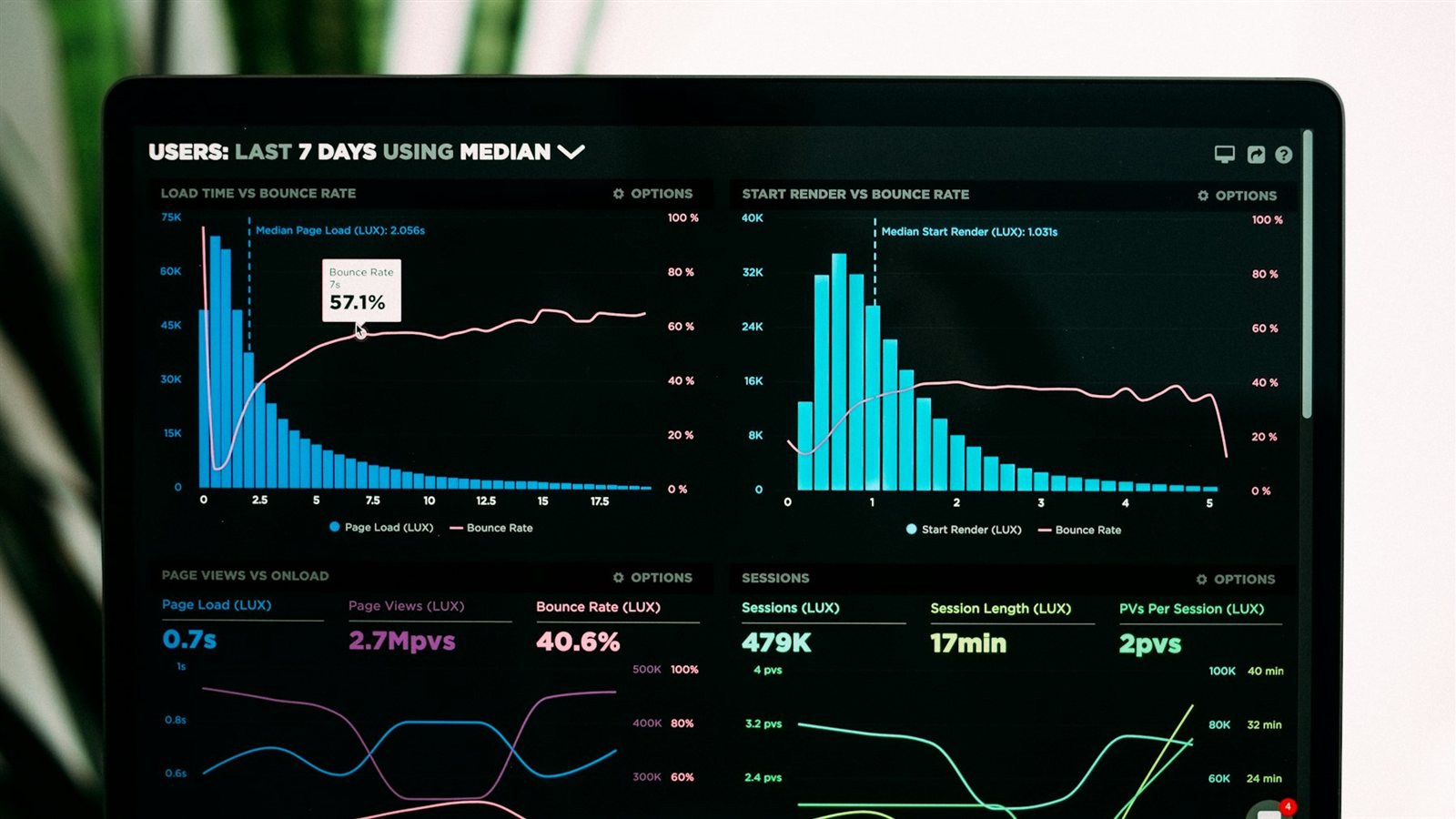
Business analytics dashboard on screen

Internal software should remove operational friction

Many SMEs operate through a mixture of spreadsheets, email, messaging apps, shared folders, CRM records, accounting tools, and employees’ memory. This can work at a small scale. As volume grows, the same system creates duplicate data, unclear ownership, missed deadlines, and reports that take days to assemble.

An internal dashboard or business tool does not need to replace every system. Its purpose may be to create one reliable operational view, connect existing platforms, or guide a high-friction workflow. The best internal tools are often narrow and deeply aligned with how the company works.

Because SMEs represent 99.9% of non-financial enterprises in Portugal, practical digitalisation has broad relevance. The strongest projects focus on measurable time, quality, and visibility improvements rather than building an impressive command centre with no daily users.

Example 1: sales and lead operations dashboard

A sales dashboard can collect leads from website forms, email, advertising platforms, referrals, and messaging channels. It can remove duplicates, assign owners, show response time, and identify leads without follow-up.

The dashboard should not only display charts. It should support action: open the record, view the conversation, schedule the next step, change status, and see why the lead is blocked. Role-based views can show a salesperson’s tasks, a manager’s pipeline, and marketing’s source performance.

Useful metrics include new leads, qualified leads, response time, stage conversion, age by stage, lost reasons, next-action completion, and revenue by source. Definitions must be agreed before development. If teams use different meanings for “qualified,” the dashboard will reproduce the disagreement.

Example 2: project delivery and capacity tool

Service companies often manage work in generic project boards while budgets, timesheets, client approvals, and staffing remain in separate files. A custom delivery tool can connect project status, tasks, owners, estimates, actual time, milestones, risks, and documents.

The tool may integrate with an existing project platform rather than replace it. A management layer can combine data from several teams and highlight projects that exceed budget, miss milestones, or have no next decision.

Avoid measuring employees through simplistic activity counts. The objective is operational visibility, not surveillance. Metrics should reflect delivery outcomes and support planning. Access to individual performance data should be proportionate and governed.

Example 3: client portal

A client portal gives customers a secure place to see status, upload documents, approve work, download outputs, view invoices, or communicate about a case. It can reduce repeated support questions and create a more consistent service experience.

The portal should show only information relevant to the customer and respect account permissions. Notifications should link directly to the required action. Files need clear versioning and status. Approval actions should record who approved what and when.

A portal may begin with one high-volume interaction such as document collection or project approval. It does not need to replicate every internal system. The back end can synchronise selected data while employees continue using specialised tools.

Example 4: document and case management

Businesses in healthcare, legal support, property, finance, education, logistics, and professional services often manage cases containing many documents, dates, participants, and approvals. A case tool can standardise required information, status, ownership, deadlines, and audit history.

Automations can create tasks, request missing documents, generate templates, and notify staff about deadlines. AI may assist with classification or extraction, but important decisions should use transparent rules and human review.

The interface should make exceptions visible. Real operations do not always follow the ideal sequence. Staff need controlled ways to pause, reopen, correct, and escalate a case without deleting history.


Data charts for internal business tools

Example 5: inventory, orders, and supplier coordination

A small distributor or service operation may track orders, stock, suppliers, delivery dates, and customer requests in separate spreadsheets. A central tool can create consistent records, calculate availability, flag delays, and connect purchasing with customer communication.

The first version should focus on the most expensive coordination failure. This may be overselling unavailable stock, missing supplier deadlines, or not informing customers about changes. Barcode systems, warehouse hardware, route optimisation, and advanced forecasting can be later stages.

Integrations with e-commerce, accounting, shipping, or supplier APIs should include error handling and reconciliation. A silent failed sync can create more risk than manual work.

Example 6: management reporting

Management dashboards often fail because they begin with charts rather than decisions. Start by listing the decisions leaders make weekly or monthly and the information required for each one.

A useful dashboard may combine sales pipeline, cash collection, delivery status, support volume, and staffing capacity. Each metric should have an owner, source, definition, refresh frequency, and action threshold. Users should be able to drill into the records behind a number.

AI can draft a narrative summary or highlight unusual changes, but calculations should remain deterministic. A manager should be able to trace the statement “revenue risk increased” to the underlying projects or invoices.

Decide whether to configure, integrate, or build

Before commissioning custom software, evaluate whether an existing platform can solve the problem. Standard CRM, ERP, helpdesk, project management, and business intelligence tools may already provide most required functions.

Configuration is appropriate when the workflow fits the platform’s concepts. Integration is appropriate when several good tools need to exchange data. A custom layer is appropriate when the business needs a unique workflow or one role-specific interface across systems.

Building an entire replacement should be the final option, not the first. It creates the largest migration, training, security, and maintenance responsibility. A phased architecture can preserve systems that work and replace only the highest-friction parts.

Define the MVP around one operational outcome

Choose a measurable outcome such as reducing lead response time, shortening weekly reporting, cutting duplicate data entry, reducing missing documents, or giving clients self-service status.

Map the process and select one team or case type for the pilot. Include the people who do the work. Their exceptions and shortcuts contain important requirements that may not appear in management diagrams.

The MVP needs authentication, permissions, logging, error handling, and administration appropriate to the risk. Internal does not mean insecure. At the same time, avoid building advanced features before users prove that the core workflow helps.

"Send a description of the current process, tools, monthly volume, and main failure point through the R5 Studio contact section to define a focused internal-tool MVP."

Integrations and data architecture

Identify systems of record. The CRM may own customer data, accounting may own invoices, and the custom tool may own operational status. Do not create conflicting master records without a reconciliation plan.

Use APIs and webhooks where available. Define what happens when a service is unavailable, a record is changed in two places, or an employee enters invalid data. Keep an integration log that allows support staff to see and retry failures.

Data migration should be selective. Years of inconsistent spreadsheets may not belong in the new system. Clean and map the information required for active operations, preserve archives appropriately, and validate samples with users.

Security and data protection

Use individual accounts, strong authentication, role-based access, secure session management, backups, and audit logs. Limit production access for developers and administrators. Encrypt data in transit and apply appropriate protection at rest.

Document personal data, purpose, retention, providers, and access. Data protection by design means collecting only what is needed and making deletion or correction possible. Sensitive sectors require specialist legal and security review.

Create an incident plan. The business should know who responds to an outage, suspected breach, failed integration, or incorrect bulk update. Monitoring and backups are valuable only when someone is responsible for alerts and recovery.

Calculate operational return

Measure current staff time, delays, errors, rework, missed opportunities, support volume, and reporting effort. Estimate the portion the tool can realistically reduce. Include adoption time, training, licences, hosting, support, and maintenance.

Value can include faster customer response, higher capacity without equivalent hiring, reduced error cost, improved compliance evidence, and better decision-making. Some benefits are difficult to express in euros, but they should still be connected to observable outcomes.

Review the results after launch. If users continue maintaining parallel spreadsheets, investigate why. The tool may be missing a critical function, may be slower than the old process, or may not have clear ownership.

How R5 Studio develops internal tools

R5 Studio builds custom dashboards, client portals, internal platforms, API integrations, and AI-assisted workflows. The approach begins with process mapping and uses existing software where it remains effective.

See custom software and AI automation capabilities on the Services page, and review the studio’s digital product work on the Projects page.

Business AI Automation for SMEs in Portugal; App MVP in 8–12 Weeks.